Keyword position checker with Google ranking history.
Find the organic position of a keyword and follow the page that appears for it.
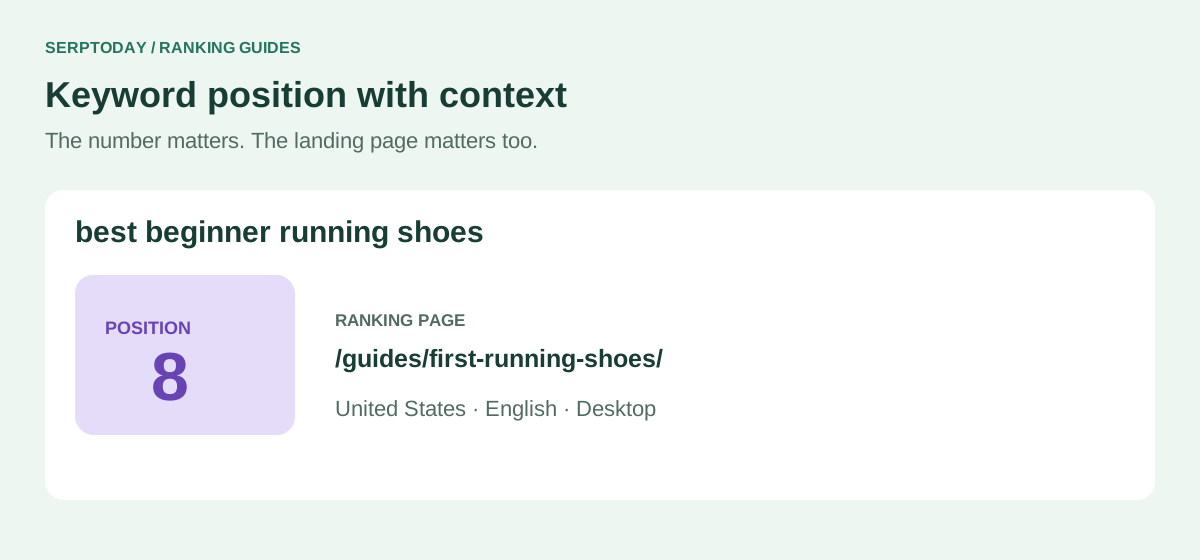
A position is an observation. History gives it context.
An SEO keyword position checker tells you where a domain appears for a particular search. A rank tracker adds the context you need to compare that observation with earlier checks: the same keyword, country, language and device.
SerpToday tracks organic Google positions in the first 100 results. It records the landing URL with the rank so you can see whether the page appearing in search is the page you expected.
Start
The first saved ranking result gives each keyword a fixed baseline. It does not change every time the keyword is checked.
Rank
The latest confirmed position for the project’s search environment. Lower position numbers are better: moving from 18 to 12 is an improvement.
Life
The net position change from the starting result to the latest result, where both observations have comparable ranks.
Read changes before deciding what to edit
The 1 day, 7 days and 30 days columns compare the current rank with the latest saved observation at or before that period. A dash means that a comparable ranked observation is not available. It does not mean that a change of zero was measured.
Open the chart to see the sequence rather than reacting to a single jump. The chart covers up to the most recent 365 days; it cannot show measurements from before tracking began. Positions outside the displayed top 100 range sit at the bottom of the chart.
Check the page as well as the number
If the ranking URL changes, review the new landing page before changing its content. A different page may answer the query better, or two pages may be competing for a similar topic. The saved search results can help you see the types of pages Google returned for that check.
For a closer review, open AI Analysis on the keyword. It uses available page and SERP evidence to suggest actions, while marking missing data and distinguishing facts from possible causes. Recommendations are a starting point for your judgment, not a guarantee of a ranking increase.
Compare like with like
Keep country, language and device consistent when assessing a change. Your own Google search may differ because of location, personalization, timing or search presentation. A manual result from another environment is not a direct comparison with a saved project check.
The project chart’s average includes ranked keywords only. If more keywords enter or leave the measured range, that coverage can change the average. Review the individual terms alongside the summary before drawing conclusions about the whole website.
Rank tracker positions versus Search Console average position
A saved rank check measures one configured keyword and search environment at a particular time. Search Console average position summarizes the impressions recorded for your site across the selected period and filters. A value such as 12.4 in Search Console is therefore not a promise that a new rank check will return position 12.
Use the tracker to follow comparable observations and landing URLs. Use Search Console to understand impressions, clicks and query demand. When the two differ, compare the dates, country, device and page before treating the difference as an error.
How to check keyword ranking without losing context
Use the exact phrase your audience searches for, then keep its country, language and device fixed. A keyword position checker is most useful when the next observation can be compared with the previous one under the same conditions.
Read the ranking URL as well as the number. If your comparison guide replaces a product page for the same keyword, inspect the result types before deciding which page should own that search.
A free keyword position check is a starting point
Start tracking 10 relevant keywords on Free Forever. Review the first completed results, select a keyword and inspect the observations saved since tracking began. Manual rechecks and on-demand AI analysis use the balances displayed in your account.
Do not treat one change as a trend. Compare several observations and investigate large or persistent movements. When a position is unavailable, review the observation status instead of recording zero or inventing a rank.
Build a history you can use.
Choose the searches that matter to your website and follow their positions in one consistent project.
Create account