Bulk keyword rank checker for Google.
Check a relevant keyword list together, with consistent search conditions for every phrase.
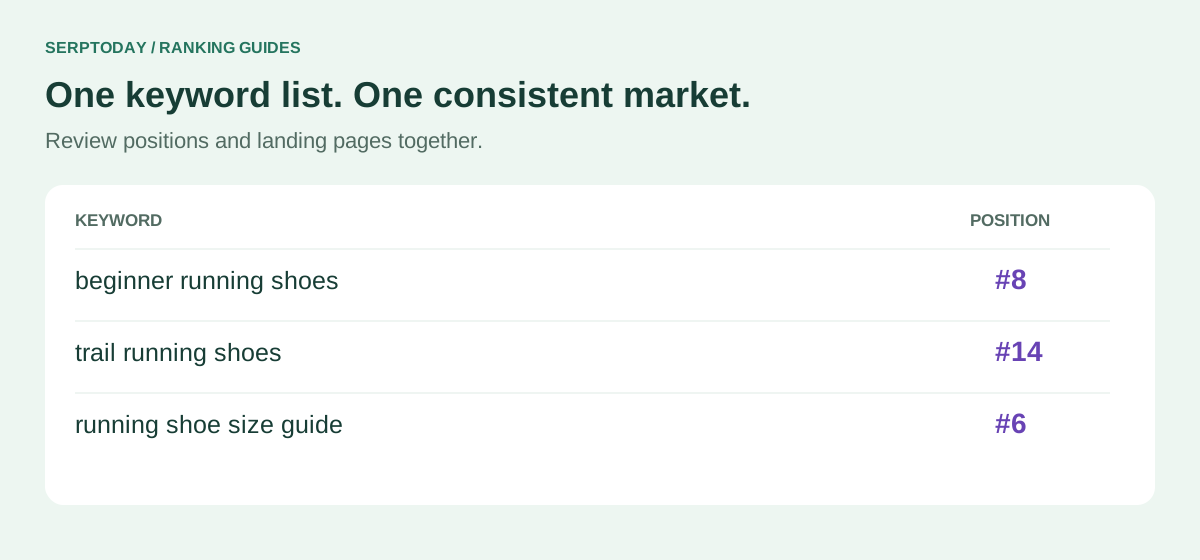
Check a list with the same search conditions
A bulk keyword check is useful when you need to review a topic, a product category or an existing keyword list together. SerpToday saves that list inside a project, then checks the associated domain against Google organic results.
The project fixes the country, language and device for every keyword in the list. This prevents a desktop result for one market from being compared with a mobile result from another by accident.
Add your list once
Paste one keyword per line. Duplicate entries are ignored, and keywords already tracked in the same project are not added again.
Follow each result
Initial checks start after Add & check. A progress indicator stays visible while a keyword is being checked, and completed results appear individually.
Review the batch
Compare positions and landing URLs in one table. Copy selected keywords or export the table as CSV for further work.
Prepare a keyword list that is easy to use
Choose phrases that describe the pages and topics you actually want to monitor. Put each phrase on its own line; a multiword phrase counts as one tracked keyword. Each entry can contain up to 10 words and 50 characters, including spaces.
For a useful starting set, combine the main terms for a page with a few specific questions or product phrases. Avoid filling the list with near-duplicates that do not help you make a different decision.
- Save the project with the correct domain and search environment.
- Paste the keyword list on the Add Keywords page.
- Review the entries and choose Add & check.
- Use the results table to identify the landing pages and positions returned by Google.
Bulk checking and daily monitoring work together
The first check establishes a starting point. Active keywords within your plan then receive daily automatic checks. Paid plans let you refresh selected keywords between scheduled updates using a separate manual allowance.
Each selected keyword uses a manual refresh. Your daily allowance applies across the account, not separately to each project. If a check is already active, selecting it again does not need to create a duplicate request.
Know what a bulk result can tell you
The current search range is the first 100 organic positions. A confirmed result outside that range is shown as >100; a temporary provider problem is not evidence that a page disappeared. A newly added keyword also needs a completed observation before it can have a starting rank.
Search response times vary, so a batch is not a promise that every number will appear at the same moment. Once the records are saved, you can compare changes, open individual charts or use Favorites to revisit the terms that matter most.
Choose keywords that lead to a useful page
Map each phrase to the page that should answer it before expanding your tracking list. Mix a core service or product term with specific relevant questions; avoid adding unrelated high-volume phrases simply to fill an allowance.
Use Search Console queries as evidence of existing visibility and competitor pages as ideas to investigate. Keep only phrases that fit your actual offer. If several phrases belong to the same page, improve that page coherently instead of publishing a near-identical page for every wording.
Prepare a bulk keyword check without wasting capacity
Paste one phrase per line and review the valid, unique keyword count before saving. A phrase may contain several words, but the entry must stay within the supported length limits. Repeated lines do not create additional useful targets.
Group phrases around the pages and services that matter to your business. Avoid filling the list with unrelated terms just because they have high search volume. Check your plan capacity before expanding a batch.
Review the batch by landing page, not just position
Once checks finish, inspect which URL ranks for each query. Several related phrases can correctly point to one useful guide. If a page is appearing for unrelated queries, review the intent before making changes.
Export the results as CSV for a working review and keep the project settings with the file. Mark which pages need investigation and revisit their results after a meaningful change. Bulk checking saves repetitive searches; it does not guarantee ranking improvements.
Give your keyword list a consistent starting point.
Create a project, add your phrases and follow their saved Google positions over time.
Create account