Website ranking checker: find the page Google ranks.
Check your website ranking for the searches that matter to your business, then connect every position to the page that earned it.
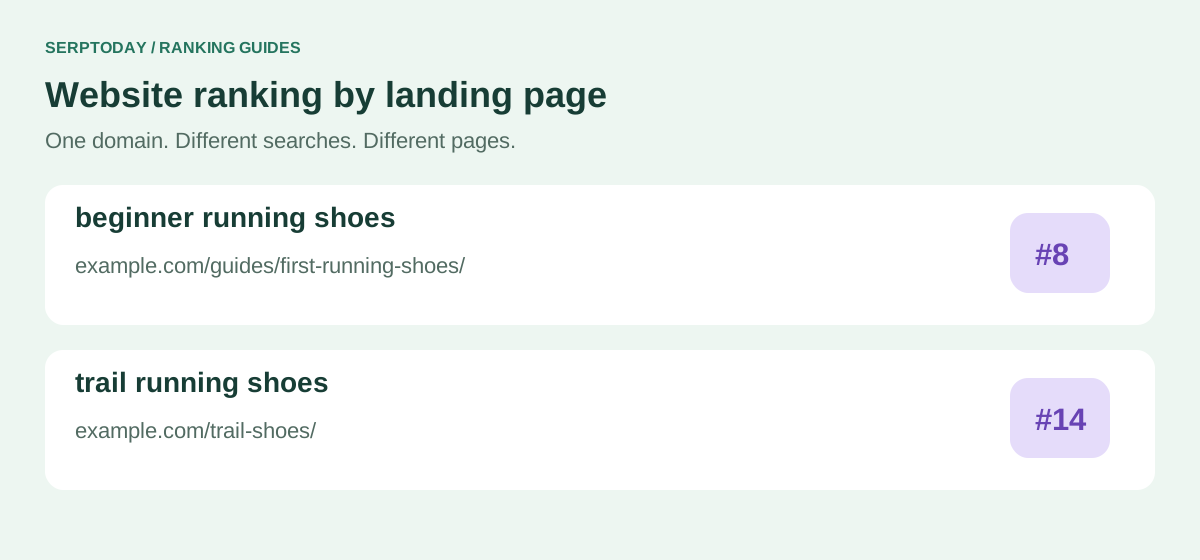
Your website has many rankings, not one universal rank
A website ranking checker answers a specific question: where does this domain appear for this keyword, in this search market, on this device? A site can rank near the top for its brand name and much lower for a competitive product query. One number cannot represent both searches.
SerpToday keeps a keyword and its ranking URL together. Use that evidence to find a page that already performs, spot an unexpected landing page, or identify a search worth improving. Start with 10 keywords on the Free Forever plan; creating an account and project is required.
How to check your website ranking on Google
Create a project for your entire domain when you want to see which of its pages appears. Choose a specific URL when your question is about one landing page. Set the country, language and device before adding keywords so every result has a clear context.
Choose a small list of real customer searches: your main service, one product category, a useful question and your brand. Add the list and review the position and ranking URL once the initial checks finish. A phrase should describe something your site actually offers.
Read the ranking URL before changing your content
Imagine tracking “running shoes for beginners” for a sports shop. If a buying guide ranks but a category page was your intended destination, check whether Google prefers advice for that query. The ranking page is evidence about intent, not automatically an error.
Compare the competing result types, the page title and the answer your page provides. Improve the relevant page before creating another page for a slightly different wording. Keep a note of the change so you can compare later observations.
Why your manual search may show a different position
Search location, device, language, time and personalization can change what you see. Match the project settings before comparing a saved check with your own browser. Count organic listings consistently; an advertisement above a result is not an extra organic ranking position.
Search Console average position is another measurement: it summarizes positions across recorded impressions and selected filters. Use it to understand visibility and clicks, and use a tracker to compare the same configured search over time.
A better review than averaging everything together
Review your important pages and keyword groups separately. A strong brand term can hide weak performance for searches from new customers. Check how many keywords contribute to an average and how many do not have a result in the tracked range.
Example: three recorded positions of 4, 8 and 12 average 8. If another two keywords have no observed top-100 result, the average still describes only the three ranked terms. Report that coverage alongside the number; it is not evidence that all five keywords rank eighth.
Turn a website ranking check into a useful next step
Open the ranking history to see whether the movement lasts. Review competitor pages and use Improve Rankings when you need a page-specific analysis within your available report balance. Prioritize pages where an improvement would help an actual visitor.
Rankings are a diagnostic signal, not a sales total. Pair them with relevant visits, sign-ups or purchases in your analytics. Compare similar periods after a meaningful change instead of treating one position change as proof of success.
Tracking, usage and account questions
Can I check my website ranking for free?
Yes. Free Forever includes tracking for 10 keywords. Create an account and set up a project; extra capacity and usage allowances depend on your plan.
Does a website rank the same for every keyword?
No. Rankings depend on the query and search environment. Review each keyword and the page that appears for it.
Will checking my ranking improve it?
Measuring a ranking does not improve it by itself. Use the results to choose useful content and technical changes, then evaluate their effects.
Start with 10 keywords, free forever.
Create an account, choose your search market and start building a useful ranking history. No credit card required.
Create account